Multiple sidebars

Author
Topic
#1861

How can i get 2 sidebars on a page?

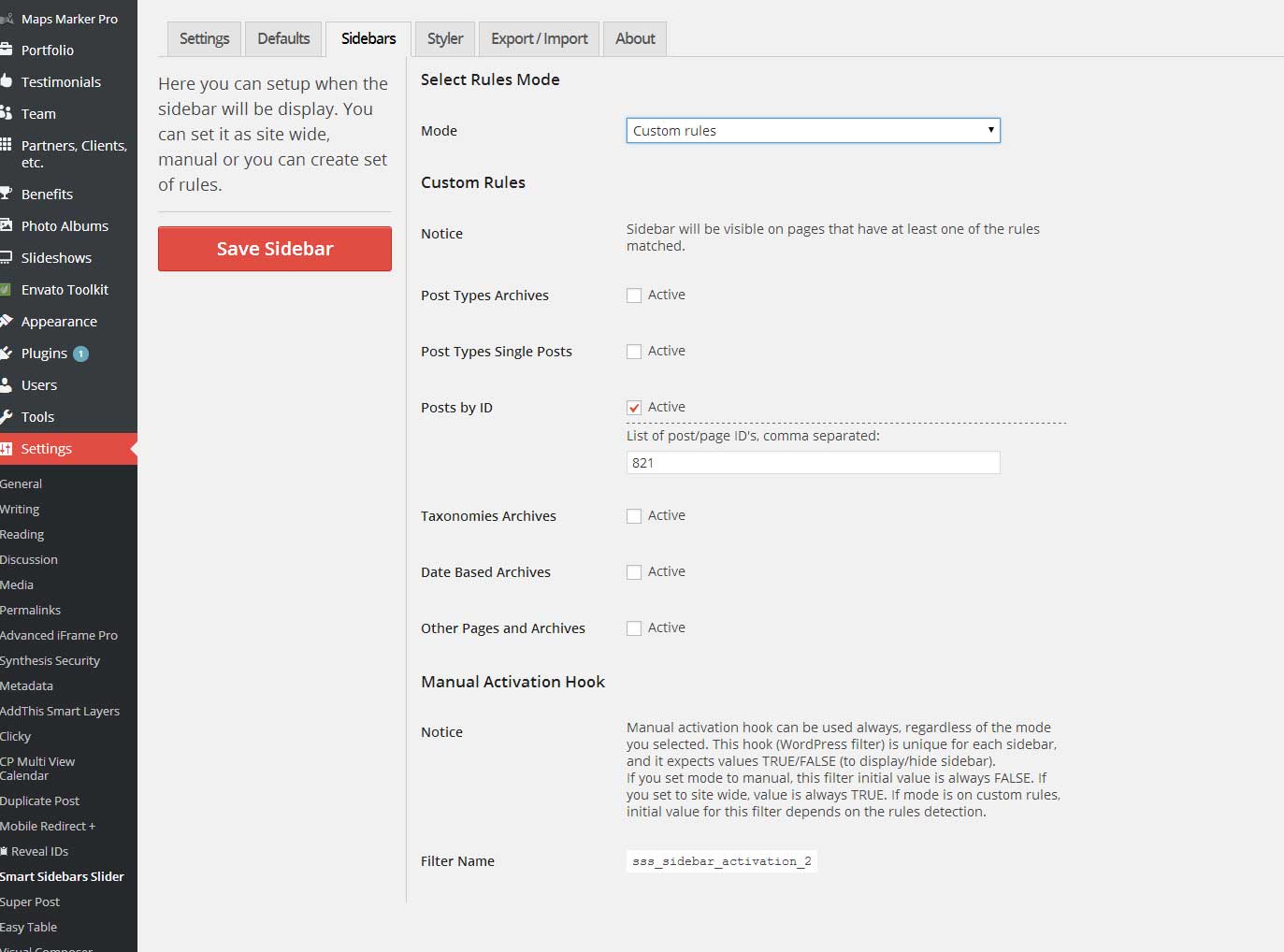
Actually i have 1 sidebar enabled site wide (all pages)
Now i created 1 more sidebar to show on a specific page using page id.
But is not show up.
Here is the page: http://visitrhodes.com/medieval-city-of-rhodes/

Viewing 5 replies - 1 through 5 (of 5 total)
Author
Replies
  • #1863

    So, this is page (not post) with the ID? I will check it out and see what is wrong with this rule parsing. I will let you know as soon as I have something.

    Regards,
    Milan

  • #1864

    I have found the problem, and new version will be released in the next couple of days. Thanks for reporting the problem.

    Milan

  • #1932

    Ok it works now. Running latest version.

    I have an issue that i cannot figure out how to solve it.

    Currently i am running a sidebar with “sitewide” setting. Thats fine.
    But i want to create new sidebar to show only on homepage. I can do that but it conflicts over the other “sitewide” sidebar.
    I think it should be an “exclude from” setting at sidebar settings. This would help me if i exclude my “sitewide” sidebar from homepage.

    Any idea?

    Currently i am running both smart sidebars on homepage (right & left) as a temporary solution.

  • #1933

    http://visitrhodes.com

  • #1934

    Hi,

    You can have multiple sidebars at once. Your problem is that you have same settings for the tab position, so one covers the other. Set different tab position to the one that is only on front page, and both will be visible. Or put them on different sides of the screen if you prefer them located on same height.

    Milan

Viewing 5 replies - 1 through 5 (of 5 total)
  • The topic ‘Multiple sidebars’ is closed to new replies.